Main menu
This form shows the main menu divided into three areas Application, Master data and System data, which is only visible with the appropriate right.
All functions of the SDV can be used via the main and hamburger menu, provided the licenses have been activated.
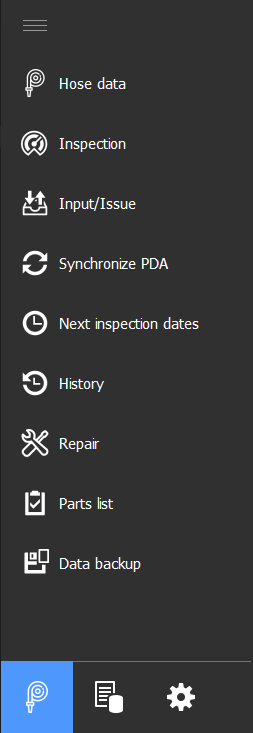
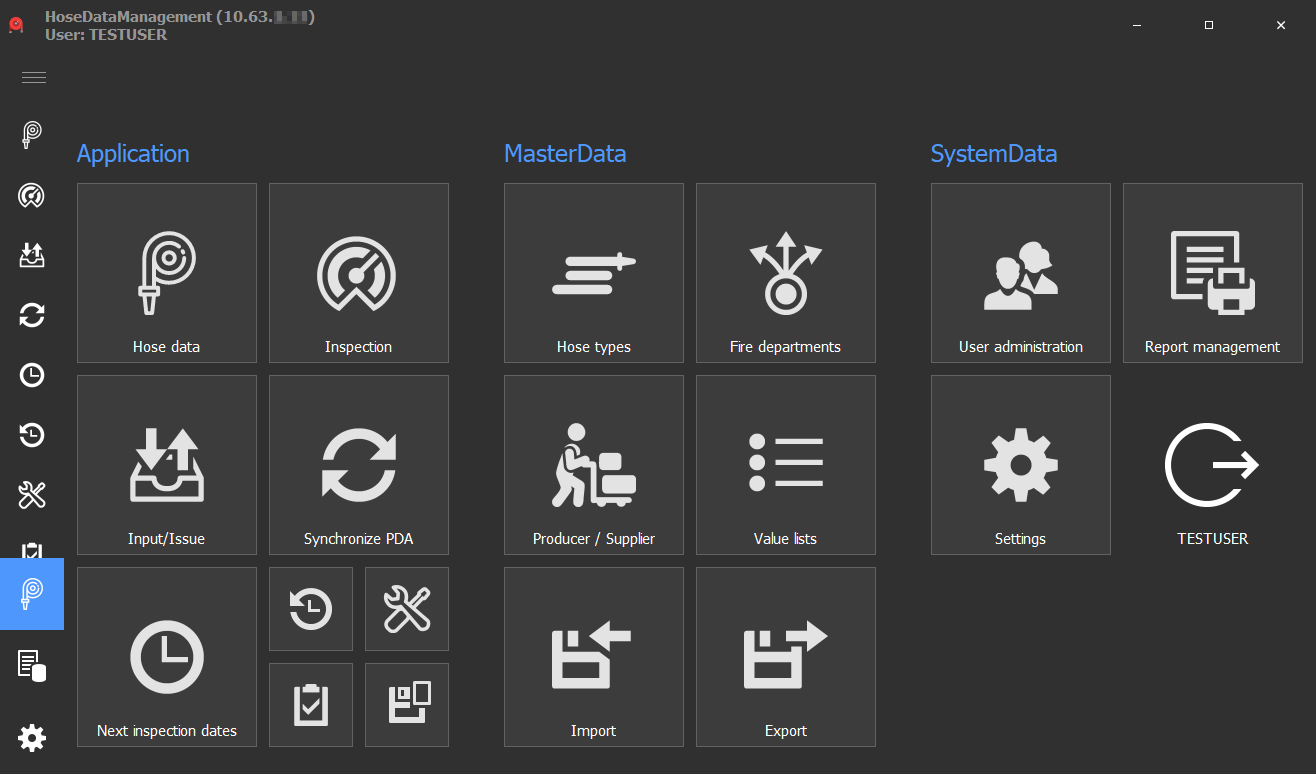
Summary
| Form | Description |
|---|---|
| Hose Data | Entry of the item stock |
| Inspection | Sending the inspection to the facility / receiving the result of the inspection |
| Input/Issue | Issue/receive to/from items at fire departments/locations/shelves |
| Synchronize PDA | Synchronization of the external acceptance/output of the PDA |
| Next inspection dates | Upcoming inspection dates |
| History | History data of the items (data change, movement data, test results) |
| Repair | Log item repairs |
| Parts list | Parts list display |
| Backup | Backup of the database to another medium |
| Hose type | Management of the article group including the associated inspection recipe |
| Fire departments | Management of the fire brigade for the item assignment |
| Producer/Supplier | Management of the address data of manufacturers and suppliers for item assignment |
| Value lists | Management of the color by default |
| Import | Generation of import template + importing articles |
| Export | Export of movement, inspection and inventory data as CSV |
| User Management | Management of users including their rights |
| Report Management | Create, edit, backup, restore print reports |
| Settings | Basic settings, default values, barcode configuration, connection settings |
| Logout (username) | Logout of the logged-in user |
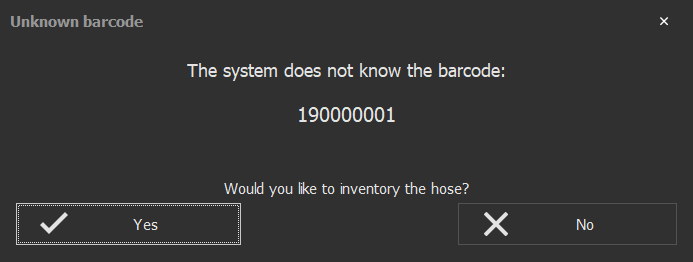
Note: Barcodes can be scanned in this form. If this is a known barcode, the system automatically switches to the inspection form and a inspection is triggered. If it is an unknown item, a dialog for inventorying a new item is displayed, which in turn opens the form for editing items.