Article data
All the information known about the article is displayed here, including the Article data, Article history and the Inspections that have been carried out.
Articles can be added/edited or deleted in this form. On the left is the list of articles that have been created under the specified article group.

- The article display can be restricted using the
Article group filter. - With the button 'Show discarded' the discarded articles can be displayed and reactivated.
- Using the
Copyfunction, a new data record is created, which represents a copy of the selected data record without filled mandatory fields. - Fast rejection of the article by the function 'Discard'
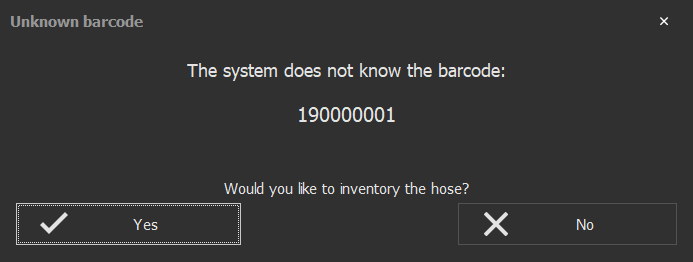
Note: Barcodes can be scanned in this form. If this is a known article, the data record is automatically selected. If it is an unknown article, a dialog for inventorying a new article is displayed, which in turn opens the form for editing articles. When taking a new inventory, data from the previously selected article is transferred as a copy to the new data record.
Article editing
Can edit all data, except for the inventory number ( can only be edited when entering the article or with the corresponding Settings). Mandatory fields are taken into account.
Hose data

| Field | Description |
|---|---|
| Specifies the article group under which the article should be created. The color and the manufacturer, if stored, are automatically assigned to the article. Representation: article group name (coupling-length-diameter) |
|
| Internal unique number Settings -> Barcode -> Prefer barcode as inventory number (automatic transfer of the barcode also directly as inventory number). Settings -> Basic settings -> Inventory number changeable (Allows subsequent editing of the inventory number even after the Inventory). |
|
| A unique barcode consisting of and/or text, numbers, special characters | |
| Indicates the material of the article Main menu -> Master data -> Value lists (entry) |
|
| Indicates the color of the article Taken from the article group if available. Main menu -> Master data -> Value lists (entry) |
|
| Indicates the year of manufacture Settings -> Default values -> Year of manufacture (from) (minimum year can be changed) |
|
| Indicates the producer of the article Main menu -> Master data -> Producer / supplier (entry) |
Inspection data

| Field | Description |
|---|---|
| Indicates the next inspection date (After a inspection, the next timestamp is calculated automatically if an interval is specified in the hose type) |
|
| Indicates the subsequent winding type (single or double winding) |
|
| Indicates the current length of the hose | |
| Indicates the current hose thickness |
| Pressure hose | |
|---|---|
| Indicates the inspection pressure in bar | |
| Specifies how long the inspection should be performed |
| Suction hose | |
|---|---|
Specifies the underpressure in bar |
|
| Specifies how long the inspection should be performed |
Position

| Field | Description |
|---|---|
Indicates the current status of the article |
|
| Indicates which fire department the article belongs to Main menu -> Master data -> Fire departments (recording) |
|
| Detail display - position | |
Indicates the position where the article is currently located |
Search

By entering a text, you can use the Search function to search through all the displayed columns